

Table of Contents
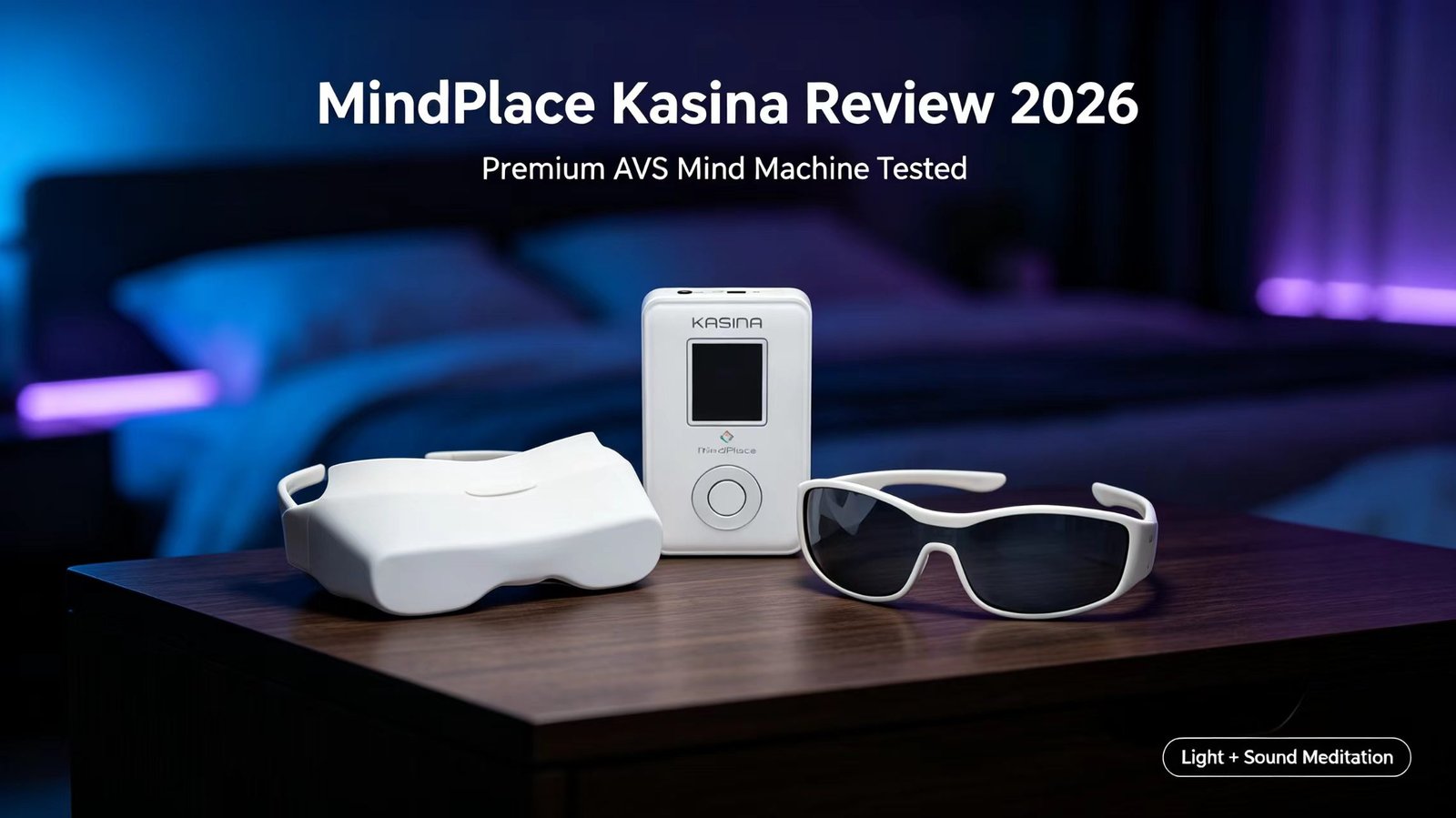
Quick backstory: I’ve been using AVS (audio-visual stimulation) devices on and off for about six years — mostly cheaper models and phone-based apps. When MindPlace sent me the Kasina to test, I decided to actually use it every single day for three months instead of writing a review after one weekend. This MindPlace Kasina review is the result.
Let’s get this out of the way first: the MindPlace Kasina costs $399. That’s not pocket change for a meditation gadget. But after using it daily for 90+ days, I can tell you exactly who this device is for — and who should save their money and buy the cheaper MindPlace Limina instead.
The Kasina is MindPlace’s flagship AVS mind machine. It took them nearly three years to develop, and it shows. Unlike basic light-sound devices that just flash white LEDs in time with audio, the Kasina uses a 6-channel independent RGB system called SpectraStrobe that can produce actual color patterns — not just brightness flicker. It also has a built-in MP3/WAV player, a microSD card slot, and a rechargeable battery, so you don’t need to tether it to your phone or laptop.
This MindPlace Kasina review is based on my own daily usage, plus what I’ve gathered from the MindPlace support forums, Amazon reviews, and long-time AVS users who’ve been around since the old Procyon and Proteus days. I’m not going to sugarcoat the problems — the goggles are fragile, the learning curve is real, and some sessions genuinely underwhelmed me. But there’s also a reason this device has a cult following.
Affiliate note: Some links here are affiliate links. If you buy through them, I earn a small commission at no extra cost to you. That doesn’t change my opinion — I called out the things I hated about this device regardless.
My Background With This Device
I’m not a total newbie to AVS, but I’m also not a hardcore hacker who writes custom session files every night. For this MindPlace Kasina review, my main use cases were: wind-down before sleep (20–30 minutes most nights), midday reset sessions when I was stressed from work, and occasionally focus sessions before writing.
I tested the Kasina in three environments: my bedroom at night (complete darkness), my home office during the day (with blackout curtains), and a couple of times on a plane (with the included earbuds). The plane experience was… interesting, but more on that later.
Here’s the honest timeline of my experience for this MindPlace Kasina review:
- Week 1: Underwhelmed. I saw flashing lights but nothing “transporting.” Wondered if I’d wasted $399.
- Week 2: Started noticing subtle patterns during the “Deep Tranquility” session. Fell asleep during a Night Voyage session for the first time.
- Week 3–4: Visuals became noticeably stronger. The “Vapour Chill” session gave me my first real “wow” moment — I was seeing mandala-like patterns behind my eyelids.
- Month 2–3: This is where it clicked. I could reliably drop into a deep relaxed state within 5–10 minutes of starting a session. I started looking forward to my nightly Kasina time the way some people look forward to a glass of wine.
If there’s one thing I want you to take from this MindPlace Kasina review, it’s this: the Kasina rewards patience. If you try it once and decide it’s not working, you’re not giving it a fair shot. The visual cortex needs time to learn how to “see” the patterns — it’s a skill, not an instant effect.
What Is the MindPlace Kasina, Exactly?
The Kasina is a light-sound AVS mind machine. Here’s what that means in plain English: you put on a pair of LED goggles and headphones, and the device flashes colored light patterns in sync with audio. Your brain has a natural tendency to sync up with rhythmic external stimuli — it’s called the frequency-following response. The idea is that by targeting specific brainwave frequencies, you can nudge your brain into states associated with relaxation (Alpha/Theta), deep sleep (Delta), or focus (Beta).
The name “Kasina” comes from a Pali word for an ancient meditation technique that uses visual objects to anchor attention. It’s a fitting name — the whole experience is essentially a high-tech version of a visual meditation object.
What sets the Kasina apart from meditation apps (like Insight Timer or Calm) is that it engages both your audio and visual channels simultaneously. Apps only give you sound. The Kasina floods your closed-eye visual field with colored light patterns, which makes it much harder for your mind to wander — there’s simply too much sensory input to ruminate on your to-do list. Throughout this MindPlace Kasina review, I’ll keep coming back to this dual-channel advantage because it’s the single biggest difference between the Kasina and phone-based meditation apps.
Hardware & Build Quality
In this section of the MindPlace Kasina review, I’ll break down the physical build, controls, and accessories that come in the box.
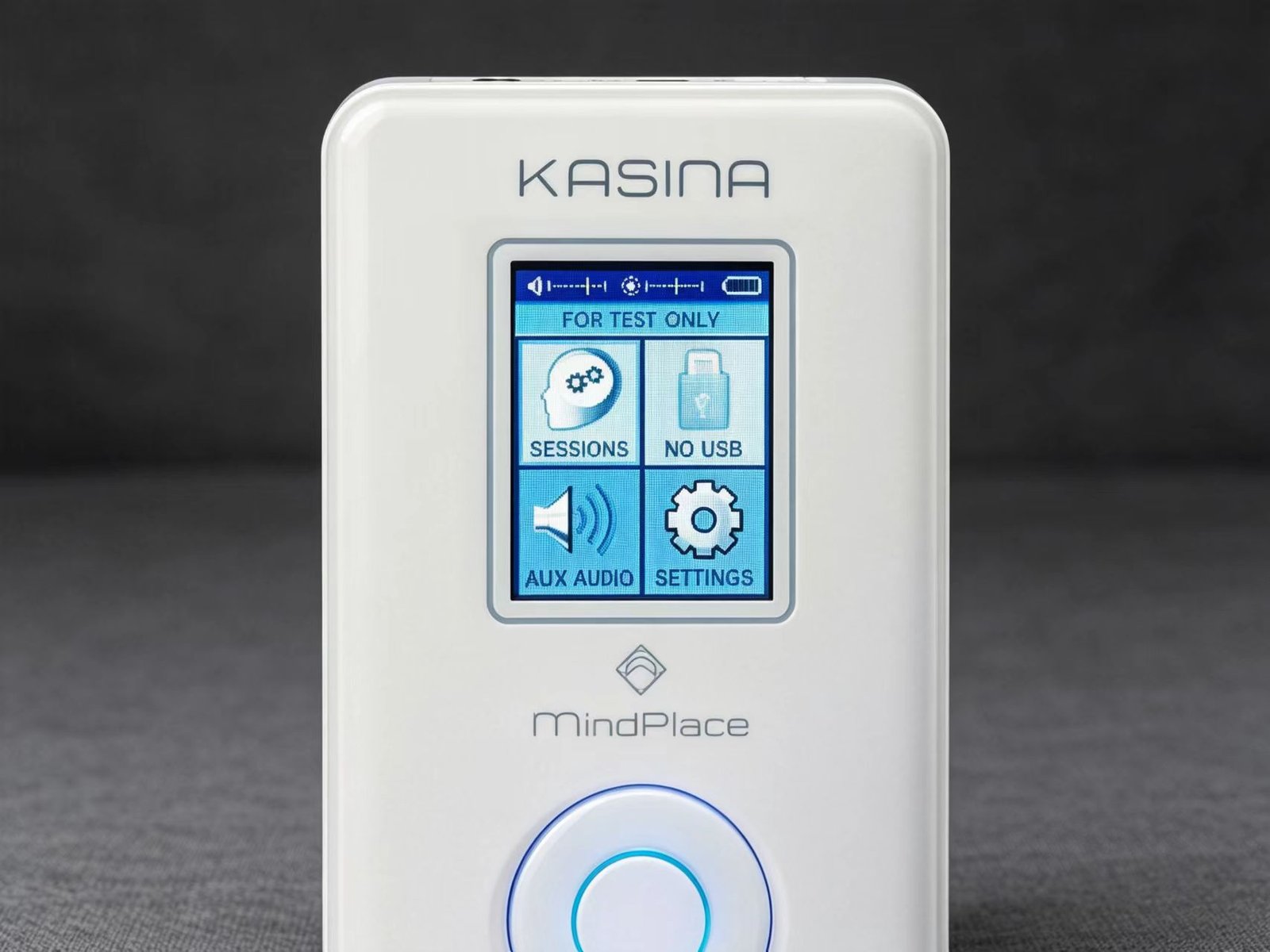
The console looks like a chunky classic iPod — roughly twice as thick as an old Nano. It feels solid in the hand, not cheap or plasticky. The color backlit LCD screen is small but readable, and the menu system is straightforward: Sessions, Settings, AUX Audio, and USB. You won’t need the manual to figure out the basics.
The physical controls are well placed:
- Power button on top, next to the USB and AUX ports
- Volume up/down on the left side — easy to find by touch
- Brightness up/down on the right side — controls the goggle LED intensity
- microSD slot on the bottom, next to the headphone and goggle jacks
What’s in the box: Kasina console, multi-color GanzFrame goggles, compact earbud headphones, USB charging cable with wall adapter, stereo AUX cable, 8GB microSD card (preloaded with sessions) plus SD adapter, a soft protective travel case, and a quickstart guide. Everything you need to start using it is included — no separate purchases required.
The GanzFrame Goggles (The Most Important Part)
The goggles are where the magic happens — and where the Kasina shows its biggest weakness. Each eye cup contains six colored LEDs: 3 blue, 2 green, and 1 red (12 total). The uneven color distribution is intentional: it compensates for how closed eyelids filter light (red penetrates better, so you need fewer red LEDs). The result is 255 shades per color channel, which means the goggles can produce subtle color gradients rather than just on/off flashing.
They’re designed for closed-eye use. MindPlace includes paper inserts if you want to try open-eye sessions, but honestly, closed-eye is where this device shines — literally.
Now the bad news: the goggles feel delicate. The cable connection point where the wire meets the frame is the obvious stress point, and I’ve seen multiple forum reports of frames cracking or cables failing after 6–12 months of regular use. I treated mine carefully and didn’t have issues in three months, but I’m genuinely worried about long-term durability. MindPlace includes a one-year warranty on accessories, which helps, but replacement goggles aren’t cheap.
“The new session format dubbed Spectra-Strobe is phenomenal. The first thing you notice is the awesome soundtrack with each session — no longer do I have to run my MP3 player into the aux port to add atmospheric music.” — Long-time AVS user on the MindPlace forums
What I Loved, What I Hated
After three months of daily use for this MindPlace Kasina review, here’s my honest breakdown of the strengths and weaknesses.
- Built-in MP3/WAV player — no phone or laptop needed. Load your own music or meditation tracks and go.
- microSD expansion — 8GB included, works with up to 32GB cards. I loaded mine with binaural beats and ambient music.
- 6-channel SpectraStrobe — the color visuals are genuinely unlike any other consumer AVS device I’ve tried. This is the killer feature.
- Rechargeable battery — USB charging, no AA batteries to buy. I got about 8–10 sessions per charge.
- Color LCD screen — makes navigation easy, especially compared to older AVS devices with tiny monochrome displays.
- Works with Windows and Mac — no platform lock-in for session editing.
- 46 preloaded sessions — enough variety that I didn’t get bored in three months.
- USB audio streaming — use the Kasina as an external USB sound card for your computer.
- Free session editor included — create your own KBS/AS/SS sessions with the included software.
- $399 price tag — about 30% more than the Limina. That’s a real gap for a lot of people.
- Fragile goggles — the cable connection point feels like it will break eventually. Multiple users report frame/cable failures.
- Learning curve — first week was underwhelming. You need 1–2 weeks of daily use before the visuals “click.”
- MP3 format is picky — mono files don’t work, bitrates must be 64–320 kbps. I had to re-encode a few files.
- Cable management is messy — goggle cable + headphone cable + console = a tangle on your chest.
- No FLAC support — if you have a lossless library, convert to WAV or MP3. WAV works but eats storage fast.
- Included earbuds are mediocre — they work, but I swapped them for my own over-ear headphones after week one.
Full Specs Sheet
For reference in this MindPlace Kasina review, here are the complete technical specifications straight from MindPlace.
| Feature | Specification |
|---|---|
| Model | MindPlace Kasina |
| Price | $399 USD (check current price — sometimes on sale) |
| Display | Color backlit LCD |
| Storage | microSD card slot (8GB included, supports up to 32GB FAT32) |
| Preloaded Sessions | 46 sessions across 6 categories (KBS, AS, SS, CO formats) |
| Light Systems | AudioStrobe (classic) + SpectraStrobe (6-channel RGB) |
| LEDs per Eye | 6 (3 Blue, 2 Green, 1 Red) — 12 total |
| Color Depth | 255 shades per color channel |
| Built-in Player | MP3 and WAV |
| Battery | Built-in rechargeable lithium-ion, charges via USB |
| Computer Support | Windows and Mac |
| Frequency Range | 0.1 – 1000 Hz |
| MP3 Requirements | 64–320 kbps, stereo or joint-stereo, 44.1 kHz or 48 kHz |
| In the Box | Console, GanzFrame goggles, earbuds, USB cable + adapter, stereo AUX cable, 8GB microSD + adapter, travel case, quickstart guide |
| Warranty | 1 year on device and accessories |
MindPlace Kasina Review: The Big Takeaways
After three months of daily use, digging through forum threads, and comparing notes with other AVS users, here’s what actually matters about the Kasina. These are the findings that shaped this entire MindPlace Kasina review.
- SpectraStrobe is genuinely a step up. The 6-channel independent RGB control produces color visuals that older AudioStrobe-only devices simply can’t match. Users describe them as “phenomenal” and “hallucinogenic” — I’d call them “immersive and surprisingly detailed.” This is the reason to buy a Kasina over a cheaper device.
- The built-in player changes everything. With the Limina (and most older AVS devices), you need to plug in an external audio source. The Kasina plays audio directly from the microSD card. One less thing to set up, one less cable to manage, one less device to charge.
- It plays nicely with third-party software. The Kasina was designed to work with Transparent Corp’s Mind Workstation, so you can export custom sessions directly to the Kasina format.
- Beginners should start with “Deep Tranquility.” It’s the gentlest session and the one I recommend to anyone new to AVS. Jumping straight into “Mind Art” or “Trance” can be overwhelming.
- Stick with it for at least two weeks. My first week was disappointing. By week three, I was a convert. The visual effects get stronger as your brain learns to process them — it’s like training a muscle.
Real-World Usage & Sessions
The real-world usage portion of this MindPlace Kasina review is where the device either proves its worth or falls flat. Here’s how it performed in actual daily use.
What Other Users Are Saying
As part of this MindPlace Kasina review, I collected feedback from other long-term users across forums and retail reviews. Here’s what they had to say.
“This is the next generation of light and sound systems.” — An AVS user with 20 years of experience called the Kasina “by far the best” device they’ve ever used, noting that “the lights no longer seem brute-forced — there are many more subtleties to them.”
“It transports you into another dimension.” — A lucid dreaming practitioner described the “Starlit Night” session: “You just feel like you’re floating, and you feel your brain slip into a relaxed state almost instantly.”
“The more I use it, the more secrets it reveals.” — A beginner who was initially underwhelmed: “At first I couldn’t see anything except crazy flashing colored lights. After a few days of practice, I realized how much progress I’d made.”
“A home run WOW session.” — A first-time AVS user on “Vapour Chill”: “The sounds and especially the light show dazzled. More importantly, it took me deep into trance — I was visualizing amazing mandalas of color.”
The 46 Sessions, Organized by Category
The Kasina comes with 46 preloaded sessions split across six categories. For this MindPlace Kasina review, I tested every category multiple times. Here’s how I’d describe each based on actual use.
- Accelerate — Focus and energy sessions. “Before Learning” and “Focus” are the standouts. I used these before writing and noticed less distraction in the first 20 minutes.
- Meditate — Calm, grounding sessions. “Forest and River” and “Deep Tranquility” are my go-tos for winding down. “Deep Tranquility” is the one I recommend to beginners.
- Mind Art — Creative visual exploration. “Patternity” and “Vapour Chill” produce the strongest visual patterns. These are the “wow” sessions — save them for when you’re relaxed.
- Night Voyage — Dream and deep trance states. The longest sessions (20–30 minutes) and the ones most likely to make you fall asleep. My nightly wind-down routine.
- Rejuvenate — Short restoration sessions. Good for a midday reset when you’re stressed but don’t have 30 minutes. Most are 10–15 minutes.
- Trance — Deep altered-state sessions. “Alphabet” and “Zodiac” are the most intense. Not for beginners — these can be overwhelming.
There’s also a Color Organ function that converts any music playing through the AUX input into a synchronized light show. It works best with electronic and ambient music — lots of synths and sustained tones. It’s fun with rock too, but the light patterns get chaotic with fast, complex music. I tried it with some jazz and it was… a lot.
Kasina vs Limina: Which Should You Buy?
The most common question I get about this MindPlace Kasina review is whether the Kasina is worth the extra money over the cheaper Limina. Here’s my honest comparison.
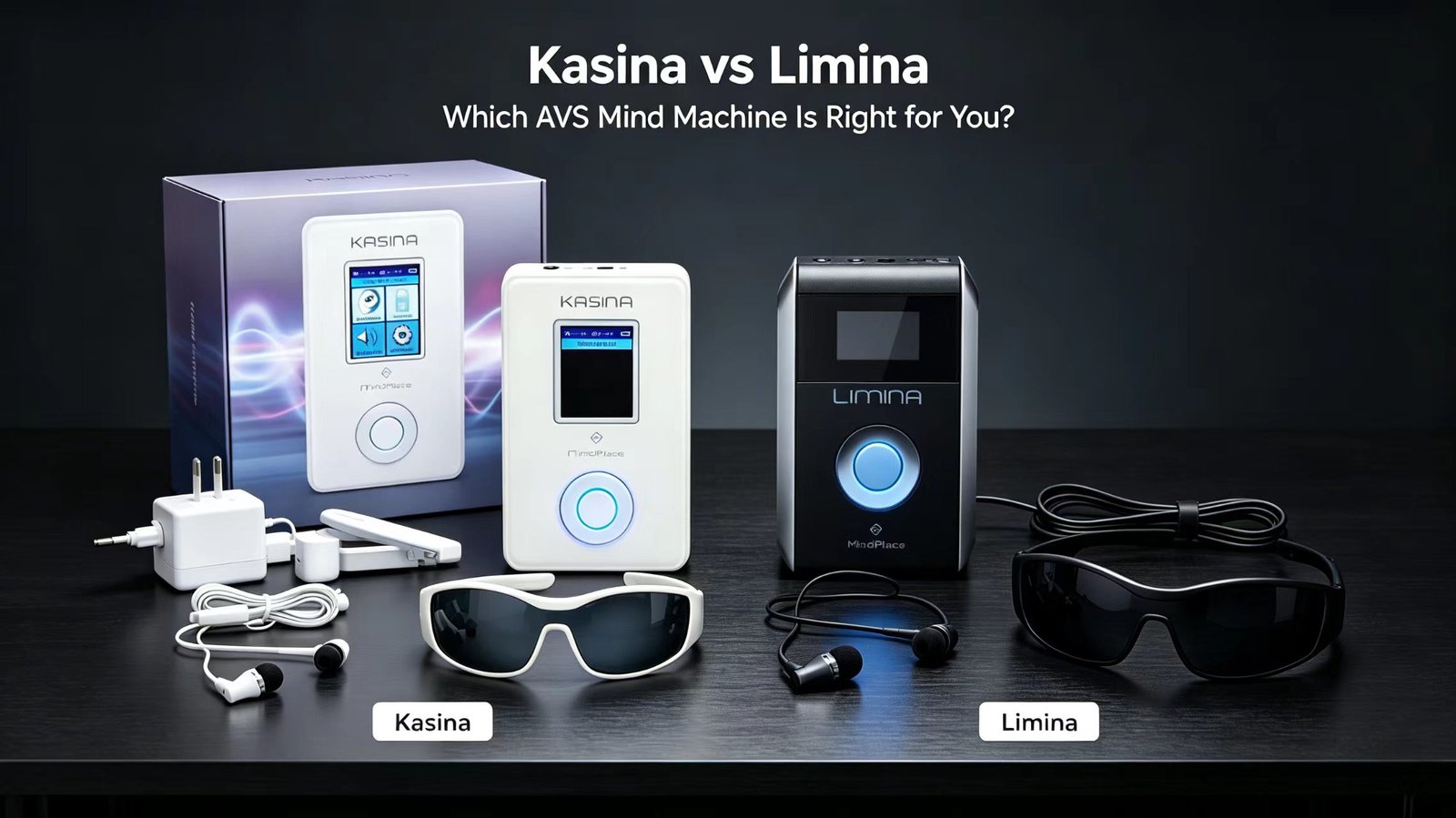
This is the question I get asked most. The short answer: buy the Kasina if you’re serious about AVS and want the best device available; buy the Limina if you’re just starting out or on a budget.
The Kasina has three big advantages over the Limina:
- Built-in MP3/WAV player — the Limina requires an external audio source. The Kasina is self-contained.
- 6-channel SpectraStrobe — the Limina supports classic AudioStrobe but not full RGB SpectraStrobe. The Kasina’s color visuals are noticeably richer.
- Color LCD screen — the Limina has a simpler display. The Kasina’s color screen makes navigation much easier.
The Limina’s advantages: it’s cheaper (roughly $100 less), more compact, and simpler to use. If you’re not sure you’ll stick with AVS, the Limina is a lower-risk entry point.
For a complete side-by-side breakdown with pricing and feature comparison, read my full MindPlace Limina vs Kasina comparison guide.
Problems I Ran Into (and How I Fixed Them)
Based on my three months of testing for this MindPlace Kasina review, here are the most common issues users encounter and how to resolve them.
🔋 Problem: Won’t charge or dies too fast
I didn’t personally hit this, but several forum users reported the Kasina getting stuck on the “low battery” screen. The fix that worked for most people was a factory reset followed by a firmware update.
Try this:
- Do a factory reset (steps below)
- Update to the latest firmware from MindPlace’s site
- Try a different USB cable and wall adapter — cheap cables can cause charging issues
- If none of that works, contact MindPlace support. They’re generally responsive.
🔊 Problem: High-pitched noise or audio screech
A few users reported hearing a faint high-pitched whine when the goggle brightness was cranked up. According to the forums, this is not normal — most Kasinas are dead quiet. If you hear it, it’s likely a hardware issue.
Try this:
- Factory reset and firmware update first — sometimes this resolves it
- If it persists, contact MindPlace support for a warranty replacement
👀 Problem: “I don’t see anything — just flashing lights”
This is the #1 complaint from new users, and it’s almost always normal. I went through it myself in week one. Your brain needs time to learn how to interpret the light patterns as imagery rather than just noise.
What worked for me:
- Start with “Deep Tranquility” — it’s gentle and won’t overwhelm you
- Let your eyes go soft. Don’t “try” to see anything — it’s more like watching a cloud and noticing shapes
- Look for small moving dots first, then let your mind follow them
- Use the paper inserts for open-eye sessions if closed-eye feels weird
- Be consistent. 15 minutes a day for a week. It took me about 4 days to start seeing patterns.
🕶️ Problem: Goggles feel fragile / cable connection worries
I didn’t break mine, but I’m careful with them. The weak point is where the cable meets the frame — it bends every time you put the goggles on or take them off. Over time, that’s a failure waiting to happen.
How to extend their life:
- Always store them in the protective case — don’t just toss them in a drawer
- Avoid sharp bends in the cable where it meets the frame
- Don’t pull the cable to remove the goggles — grasp the frame itself
- MindPlace covers accessories for 1 year under warranty
- Some users reinforce the cable joint with heat-shrink tubing or Sugru — not officially recommended, but a common hack
🎵 Problem: My MP3 files won’t play
I hit this with a few files I loaded from my music library. The Kasina is picky about MP3 format — it won’t play mono files, and bitrates outside 64–320 kbps may not work.
Check your files:
- Must be stereo or joint-stereo — mono MP3s are rejected
- Bitrate between 64 and 320 kbps
- Sample rate of 44.1 kHz or 48 kHz
- For best results, re-encode with a LAME-based encoder at 320 kbps CBR
- WAV files also work if you don’t mind the larger file size
How to Factory Reset the Kasina
- Power off the device completely
- Press and hold both the Volume Down (-) and Brightness Down (-) buttons at the same time
- Keep holding them while you press the Power button to turn the device on
- Wait for the reset confirmation screen to appear — your settings are now back to factory defaults
How to Add Your Own Music and Sessions
- Power off the Kasina and remove the microSD card
- Insert the card into your computer using the included SD adapter or a USB card reader
- Copy your MP3/WAV files into the appropriate folders (Music for audio, Sessions for KBS/AS/SS files)
- Eject the card safely from your computer and reinsert it into the Kasina
- Power on and navigate to the Sessions or Music menu to find your new content
Frequently Asked Questions
The most common questions I receive about this MindPlace Kasina review, answered in plain English.
Can the Kasina play WAV files?
Yes. The Kasina supports both MP3 and WAV. WAV files are lossless but take up significantly more storage — a 30-minute WAV file can be 300MB+ compared to ~50MB for a 320 kbps MP3.
Does Kasina support FLAC?
No. The Kasina’s audio chipset doesn’t decode FLAC. If you have a FLAC library, convert to WAV or 320 kbps MP3 before loading onto the microSD card.
Can I use the Kasina as just an MP3 player without the lights?
Absolutely. The built-in player works fine with the goggles disconnected or turned all the way down. It’s not going to replace a dedicated music player, but it’s perfectly functional for casual listening.
What’s the maximum microSD card size?
32GB, formatted as FAT32. Cards larger than 32GB typically use exFAT by default, which the Kasina doesn’t recognize. You can try formatting a larger card as FAT32, but MindPlace only officially supports up to 32GB.
Can I use Limina goggles with the Kasina (or vice versa)?
Yes. The GanzFrame goggles use the same TRRS connector and voltage across both devices, so they’re interchangeable. However, only the Kasina can drive the full 6-channel SpectraStrobe — the Limina will fall back to standard AudioStrobe mode.
Does Kasina work with Mac?
Yes. The Kasina works with both Windows and Mac for USB connections, firmware updates, and session editing. The included session editor software is cross-platform.
How do I update the Kasina firmware?
Firmware updates are posted on MindPlace’s official website. Download the firmware file, copy it to the root of your microSD card, reinsert the card, and power on the Kasina — it will detect the update and prompt you to install. The whole process takes 2–3 minutes.
Is the Kasina good for beginners?
Yes, with a caveat: start slow. Use “Deep Tranquility” for your first week, keep the brightness at 50% or lower, and don’t expect dramatic visuals on day one. Most people need 1–2 weeks of consistent use before the visual effects become noticeable. If you’re totally new to AVS and unsure if you’ll stick with it, the cheaper Limina might be a better first device.
How long does the battery last?
In my real-world use, I got roughly 8–10 sessions per charge (assuming 20-minute sessions at medium brightness). Heavy use with max brightness and high volume will drain it faster. A full charge takes about 2 hours via USB.
Can I use it to fall asleep?
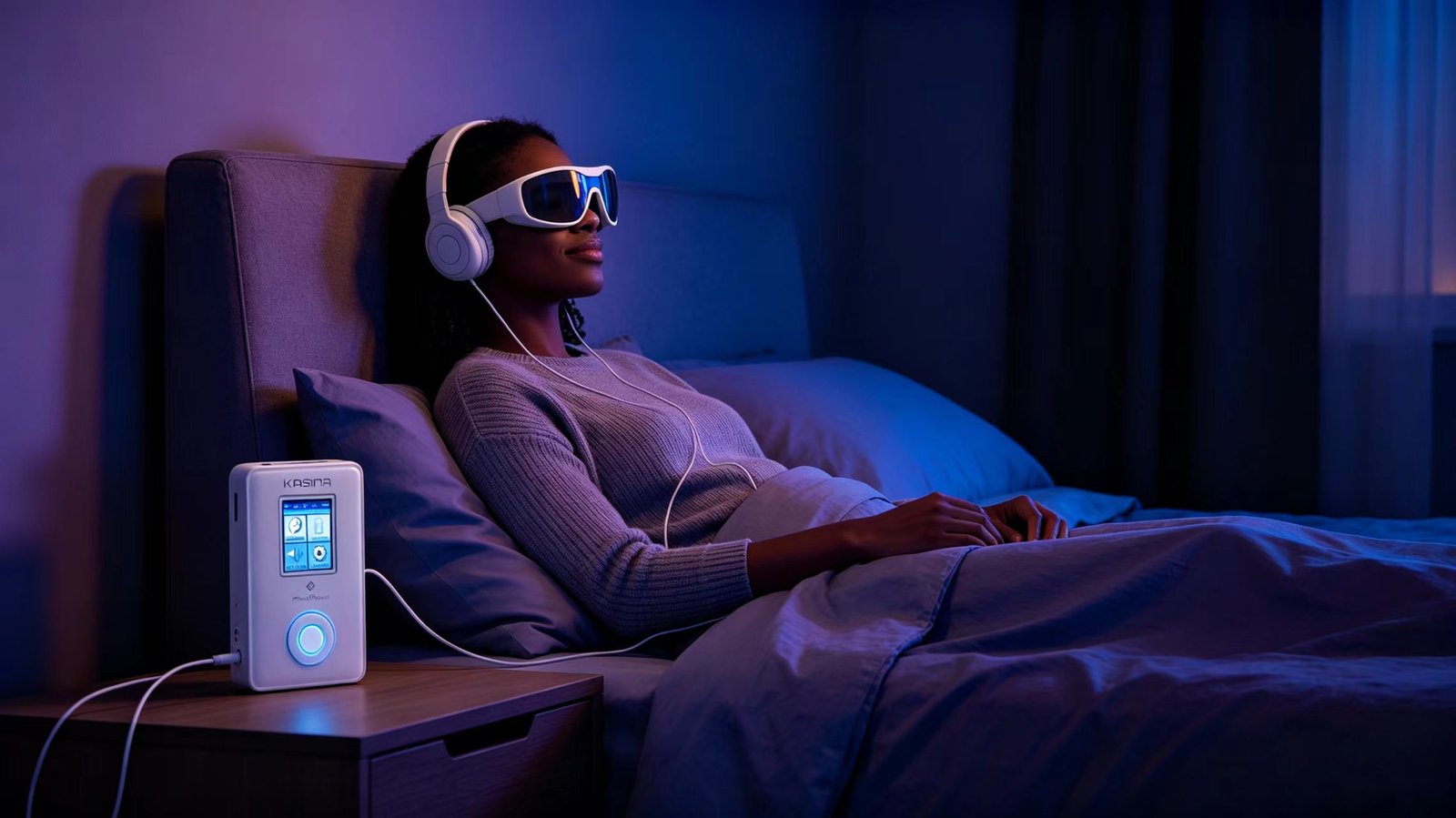
Yes — and this was my most common use case. The Night Voyage and Rejuvenate sessions are designed for wind-down. I regularly fell asleep during longer sessions, which is fine — the device just runs until the session ends and then shuts off. Just make sure you’re lying down safely and not in a position where the goggles could get damaged.
Final Verdict: Should You Buy the MindPlace Kasina?
To wrap up this MindPlace Kasina review after three months of daily use, here’s my honest bottom line.
The Kasina is the best consumer AVS device I’ve ever used, and it’s not particularly close. The built-in player, the microSD expansion, and especially the 6-channel SpectraStrobe system put it in a different league from cheaper devices. After three months, it’s become a permanent part of my nightly routine — I genuinely look forward to my sessions.
But it’s not perfect, and it’s not for everyone. The $399 price is a real barrier. The goggles feel fragile and I’m concerned about long-term durability. The first week of use was underwhelming enough that I almost gave up on it. And if you’re just casually curious about AVS, the Limina will give you 80% of the experience for 70% of the price.
Buy the Kasina if:
- You’re already experienced with meditation or AVS and want the best device available
- You want the full-color SpectraStrobe experience — not just basic white-light flashing
- You value the self-contained built-in player and don’t want to tether to a phone
- You’re a content creator or session designer who needs compatibility with Mind Workstation
- You plan to use this daily for years — the Kasina is a device you won’t outgrow
Don’t buy the Kasina if:
- You’re just curious about AVS and aren’t sure you’ll use it regularly — get the Limina instead
- $399 is a stretch for your budget — the Limina is genuinely good and costs significantly less
- You’re rough with gadgets and worry about breaking delicate goggles
- You want something that works perfectly on day one with zero learning curve
For me, the Kasina was worth every dollar. But I’m the target audience — I use it daily, I’ve tried cheaper devices, and I wanted the best. If that sounds like you, pull the trigger. If not, start with the Limina and upgrade later if you catch the AVS bug.
Ready to Try the MindPlace Kasina?
The most capable consumer AVS device on the market — built-in player, 6-channel SpectraStrobe, and 46 preloaded sessions.
Check Kasina Price on MindPlace →Disclaimer: This review is based on 3 months of personal daily use, supplemented by MindPlace official documentation and community feedback from forums and retail reviews. Product specs and pricing can change without notice. AVS light-sound devices are sensory wellness tools — they are not medical equipment and cannot diagnose or treat any condition. Some links on this page are affiliate links; I may earn a commission at no extra cost to you.
